
CASA OLIVA · INTERACTIVE APARTMENT CASE STUDY
One apartment.
More ways to explore.
Casa Oliva is Blinkasa’s furnished, walkable 3D apartment demo. Move from a view of the whole layout to the rooms inside, then explore the furniture, dimensions and changing light for yourself.
Enter Casa Oliva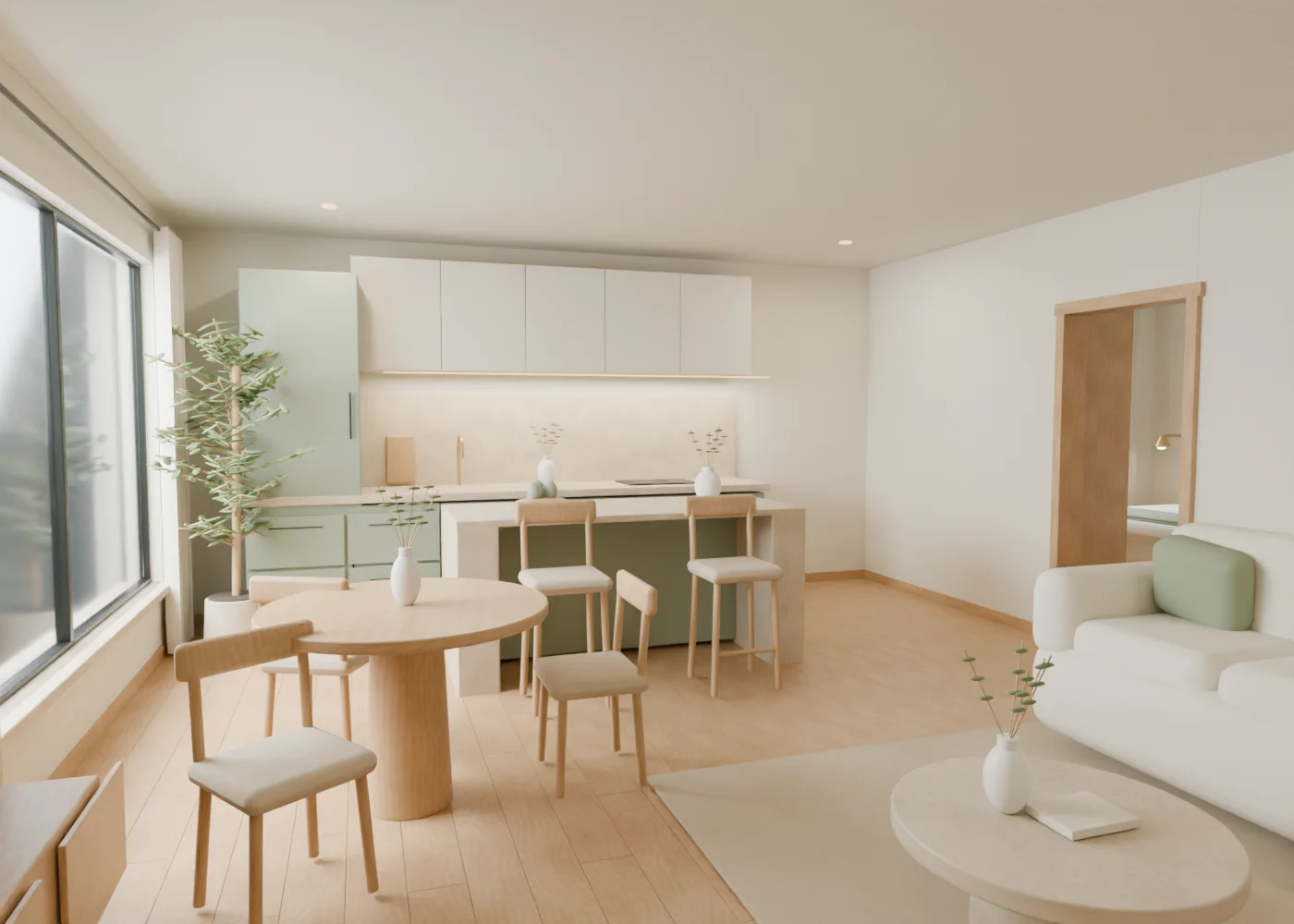
The brief: understand a home beyond a floor plan
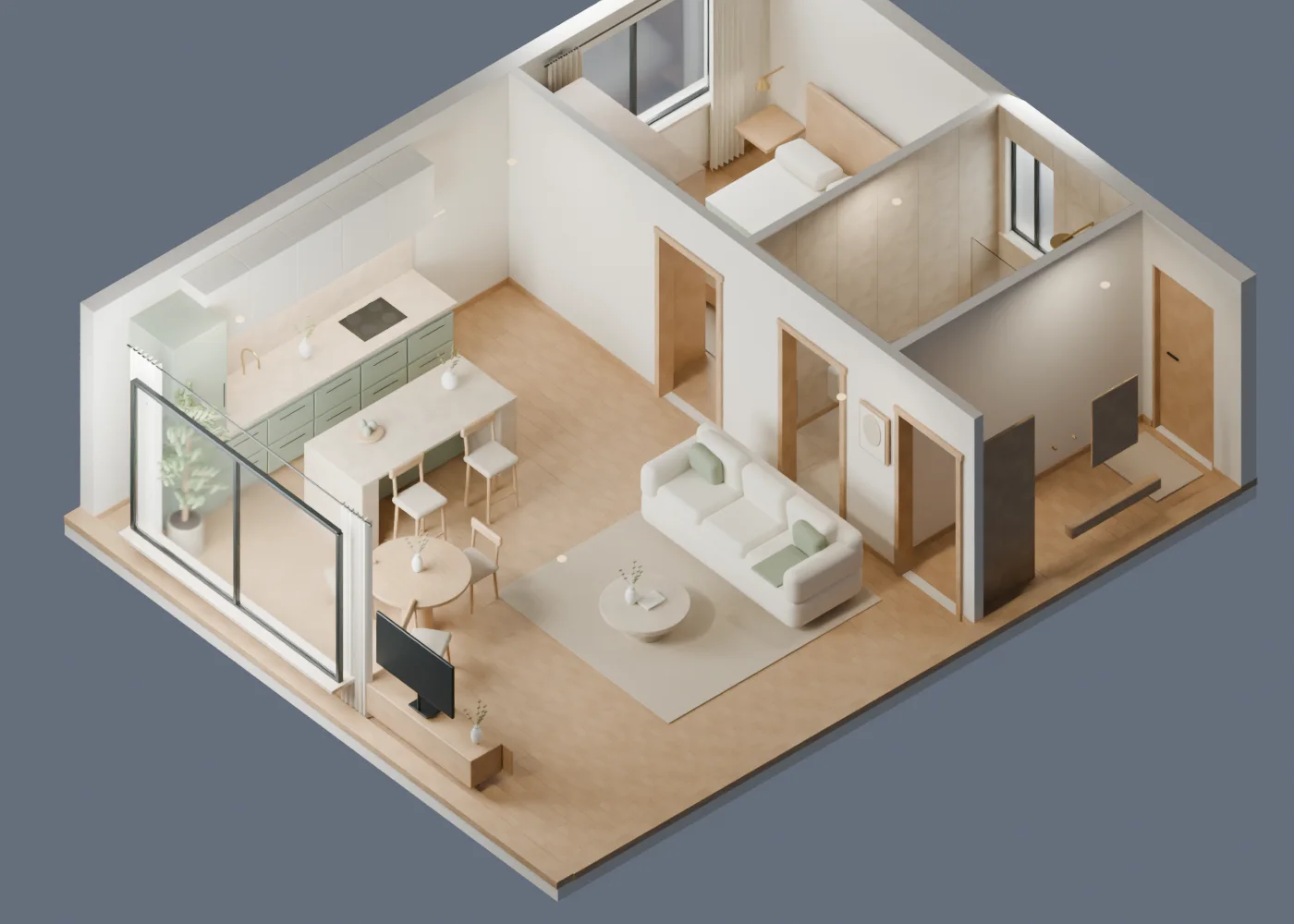
A plan and a collection of room images can be difficult to connect in your head. This demonstration brings the apartment into one navigable model: a living area and kitchen, bedroom and bathroom, viewed from above or from the visitor’s position. The purpose is to make the route through the home and the relationship between its spaces easier to explore.
The same apartment, from above and inside
The dollhouse explains the overall arrangement; the interior view brings the furniture and room proportions into focus. These images show the Casa Oliva model used by Blinkasa, rather than unrelated concept interiors.
How the experience is put together
Reconstruct the space
The layout, openings and fixed fixtures establish the apartment. Furniture and materials turn those rooms into an interior that can be explored from several perspectives.
Make the model navigable
Visitors choose Alex or Maya, walk through the home and switch between first-person, third-person and dollhouse views. The apartment is a 3D environment controlled by the visitor.
Add ways to investigate the details
Furniture controls, model measurements and day/night settings let visitors look more closely at how the space is arranged. The result is an interactive demonstration you can open through a browser link.
Try these five things in the live apartment
Walk from the living room toward the kitchen
Notice the route between the seating area, dining table and kitchen island. Use the on-screen controls, or the desktop movement instructions.
Switch to first-person view
Look at the interior from inside the rooms, then switch back to see your character moving through the space.
Open the dollhouse
Explore the overall layout from above and compare it with the route you just walked.
Explore furniture and measurements
Try the available furniture controls and measurement tools. These describe the model; check real dimensions before making design or purchasing decisions.
Change the lighting mood
Try the night and curtain controls to explore another view of the interior.
How an agent or developer could use this format
An agent can share a property experience before a viewing so buyers can return to the layout in their own time. A developer can commission a model of a proposed unit to explain the design before completion. Casa Oliva demonstrates the interaction format; it is not a claim about sales results, a property listing or a customer testimonial.
See how we turn floor plans into 3D walkthroughsPlan an experience for your own property
Start with your floor plan, room photographs or design references, and the questions you want visitors to answer. We’ll discuss which rooms, furnishings and interactions belong in your project. Casa Oliva’s public session is a solo visit; shared visits are a separate project discussion.
Discuss your property walkthroughBefore you begin
Is Casa Oliva a video or an interactive apartment?
The live demo is an interactive 3D apartment. You control your movement and viewpoint. The Blinkasa homepage uses a recorded animation to introduce it; open the demo to explore freely.
Do I need to install anything?
No app installation is needed. The demo loads its 3D assets in your browser. Allow time for the first load, especially on a slower connection.
Can two visitors join the public demo together?
The public Casa Oliva session is solo. Contact us to discuss a shared-visit experience for your project.
Can I see the original source plan and photographs?
This page presents views of the completed model. Original property documents and reference photographs are not published here. Share your own references when discussing a reconstruction.
Can I buy or rent Casa Oliva here?
This is a demonstration of Blinkasa’s interactive property experience, not an availability listing or an offer to sell or rent the apartment.
Have a place in mind?
Share the floor plan, available photos and intended timing. We’ll discuss a suitable scope for your property.
Discuss your property